Details
DRM: Digitales Wasserzeichen
Weitere Details
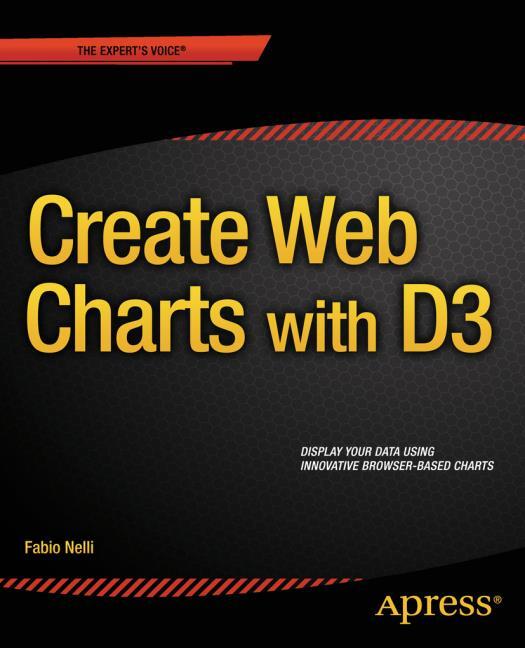
Beginning JavaScript Charts
eBook - With jqPlot, d3, and Highcharts, Professional and Applied Computing (R0)
Beschreibung
If you are an experienced developer and want to take things further, thenBeginningJavaScript Charts also shows you how to develop your own graphics library starting from scratch using jQuery. At the end of the book, you will have a good knowledge of all the elements needed to manage data from every possible source, from high-end scientific instruments to Arduino boards, from PHP SQL databases queries to simple HTML tables, and from Matlab calculations to reports in Excel. You will be able to provide cutting-edge charts exploiting the growing power of modern browsers.
- Create all kinds of charts using the latest technologies available on browsers (HTML5, CSS3, jQuery, jqPlot, D3, Highcharts, and SVG)
- Full of step-by-step examples,BeginningJavaScript Charts introduces you gradually to all aspects of chart development, from the data source to the choice of which solution to apply.
- This book provides a number of tools that can be the starting point for any project requiring graphical representations of data, whether using commercial libraries or your own
Über Fabio Nelli
Inhalt
- Charting Technology Overview
- jQuery Basics
- Simple HTML Tables
- Drawing a Line Chart
- Drawing a Bar Chart
- Drawing a Pie Chart
- Creating a Library for Simple Charts
- Introducing jqPlot
- Line Charts with jqPlot
- Bar Charts with jqPlot
- Pie Charts with jqPlot
- Candlestick Charts with jqPlot
- Bubble Charts with jqPlot
- Other Charts with jqPlot
- Adding Controls to Charts
- Embedding jqPlot Charts in jQuery Widgets
- Handling Input Data
- Moving from jqPlot to Highcharts
- Introducing D3
- Line Charts with D3
- Bar Charts with D3
- Pie Charts with D3
- Candlestick Charts with D3
- Scatterplot and Bubble Charts with D3
- Radar Charts with D3
- Handling Live Data with D3
- App A: Guidelines for the Examples in the Book
- App B: jqPlot Plugins
E-Book Informationen
Alle hier erworbenen E-Books können Sie in Ihrem Kundenkonto in die kostenlose PocketBook Cloud laden. Dadurch haben Sie den Vorteil, dass Sie von Ihrem PocketBook E-Reader, Ihrem Smartphone, Tablet und PC jederzeit auf Ihre gekauften und bereits vorhandenen E-Books Zugriff haben.
Um die PocketBook Cloud zu aktivieren, loggen Sie sich bitte in Ihrem Kundenkonto ein und gehen dort in den Bereich „E-Books“. Setzen Sie hier einen Haken bei „Neue E-Book-Käufe automatisch zu meiner Cloud hinzufügen.“. Dadurch wird ein PocketBook Cloud Konto für Sie angelegt. Die Zugangsdaten sind dabei dieselben wie in diesem Webshop.
Weitere Informationen zur PocketBook Cloud finden Sie unter www.meinpocketbook.de.
Allgemeine E-Book-Informationen
E-Books in diesem Webshop können in den Dateiformaten EPUB und PDF vorliegen und können ggf. mit einem Kopierschutz versehen sein. Sie finden die entsprechenden Informationen in der Detailansicht des jeweiligen Titels.
E-Books ohne Kopierschutz oder mit einem digitalen Wasserzeichen können Sie problemlos auf Ihr Gerät übertragen. Sie müssen lediglich die Kompatibilität mit Ihrem Gerät prüfen.
Bei E-Books die mit Readium LCP geschützt sind erscheint bei dem ersten Öffnen auf ihrem Reader ein Hinweisfenster mit der Aufforderung ein Passwort einzugeben. Gleichzeitig öffnet sich ein Infofeld in dem das Passwort steht. Tragen Sie dieses Passwort in das Eingabefeld ein und bestätigen Sie die Eingabe. Danach öffnet sich das E-Book automatisch. Um E-Books die mit Readium LCP geschützt sind auf einem Tablet/Laptop/Smartphone lesen zu können, benötigen Sie ein Programm, das in der Lage ist, mit diesem Kopierschutz umzugehen. Das ist z.B. der Thorium Reader (Windows, Mac, Linux) oder die PocketBook App (iOS, Android). Fügen Sie das heruntergeladene E-Book in das Programm ein. Bei dem ersten Öffnen erscheint ein Hinweisfenster mit der Aufforderung ein Passwort einzugeben. Gleichzeitig öffnet sich ein Infofeld in dem das Passwort steht. Tragen Sie dieses Passwort in das Eingabefeld ein und bestätigen Sie die Eingabe. Danach öffnet sich das E-Book automatisch.“