
Details
DRM: Readium LCP DRM
Weitere Details
Beschreibung
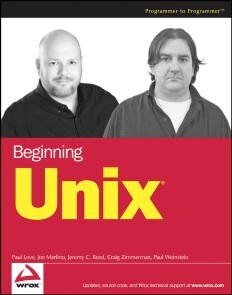
- Covering all aspects of the Unix operating system and assuming no prior knowledge of Unix, this book begins with the fundamentals and works from the ground up to some of the more advanced programming techniques
- The authors provide a wealth of real-world experience with the Unix operating system, delivering actual examples while showing some of the common misconceptions and errors that new users make
- Special emphasis is placed on the Apple Mac OS X environment as well as Linux, Solaris, and migrating from Windows to Unix
- A unique conversion section of the book details specific advice and instructions for transitioning Mac OS X, Windows, and Linux users
Über Paul Love, Joe Merlino, Craig Zimmerman
Joe Merlino (Boston, MA) is an experienced system administrator with Unix and Linux for more than a decade.
Craig Zimmerman (New York, NY) manages UNIX, Macintosh, and Windows systems for Spontaneous, a post-production company in New York City. He previously worked at Chiat/Day helping build the worlds most famous virtual advertising agency, managing and networking Unix and Macintosh systems in multiple offices.
Jeremy C. Reed (Marysville, WA) is a programmer, a member of NetBSD, and has actively taught FreeBSD, NetBSD, and OpenBSD administration classes for the past three years.
Paul Weinstein (Chicago, IL) has worked on various Unix-based computing platforms, from the mainframe (Harris HCX-9) to the desktop (Powerbook G4) and has developed applications on just about all of the current major branches of Unix in the course of the past 10 years. Recently he has been focusing a lot of his attention on developing and integrating Web-based systems using tools such as Linux, Apache, MySQL, and Perl, and in doing so has brought his unique understanding to a wide range of computing environments ranging from public elementary schools to pioneering open source companies. Currently, Paul works as President and Chief Consultant for the computer consulting firm Kepler Solutions, Inc.
David Mercer (Cape Town, South Africa) is a long-time Unix user and PHP programmer who contributed toBeginning PHP4 andBeginning PHP5. He has maintained a keen interest in all things open source ever since he managed to put together a working Beowulf cluster by nicking old computer parts from colleagues and assembling them under his desk.
Inhalt
Introduction.
Who Is This Book For?
What Does This Book Cover?
How This Book Is Structured.
What Do You Need to Use This Book?
Conventions.
Source Code.
Errata.
Chapter 1: Unix Fundamentals.
Chapter 2: First Steps.
Chapter 3: Understanding Users and Groups.
Chapter 4: File System Concepts.
Chapter 5: Customize Your Working Environment.
Chapter 6: Unix Commands In-Depth.
Chapter 7: Editing Files with Vi.
Chapter 8: Advanced Tools.
Chapter 9: Advanced Unix Commands: Sed and AWK.
Chapter 10: Job Control and Process Management.
Chapter 11: Running Programs at Specified Times.
Chapter 12: Security.
Chapter 13: Basic Shell Scripting.
Chapter 14: Advanced Shell Scripting.
Chapter 15: System Logging.
Chapter 16: Unix Networking.
Chapter 17: Perl Programming for Unix Automation.
Chapter 18: Backup Tools.
Chapter 19: Installing Software from Source Code.
Chapter 20: Conversion: Unix for Mac OS Users.
Chapter 21: Conversion: Unix for Windows Users.
Appendix A: Answers.
Appendix B: Useful Unix Web Sites.
Index.
E-Book Informationen
Alle hier erworbenen E-Books können Sie in Ihrem Kundenkonto in die kostenlose PocketBook Cloud laden. Dadurch haben Sie den Vorteil, dass Sie von Ihrem PocketBook E-Reader, Ihrem Smartphone, Tablet und PC jederzeit auf Ihre gekauften und bereits vorhandenen E-Books Zugriff haben.
Um die PocketBook Cloud zu aktivieren, loggen Sie sich bitte in Ihrem Kundenkonto ein und gehen dort in den Bereich „E-Books“. Setzen Sie hier einen Haken bei „Neue E-Book-Käufe automatisch zu meiner Cloud hinzufügen.“. Dadurch wird ein PocketBook Cloud Konto für Sie angelegt. Die Zugangsdaten sind dabei dieselben wie in diesem Webshop.
Weitere Informationen zur PocketBook Cloud finden Sie unter www.meinpocketbook.de.
Allgemeine E-Book-Informationen
E-Books in diesem Webshop können in den Dateiformaten EPUB und PDF vorliegen und können ggf. mit einem Kopierschutz versehen sein. Sie finden die entsprechenden Informationen in der Detailansicht des jeweiligen Titels.
E-Books ohne Kopierschutz oder mit einem digitalen Wasserzeichen können Sie problemlos auf Ihr Gerät übertragen. Sie müssen lediglich die Kompatibilität mit Ihrem Gerät prüfen.
Bei E-Books die mit Readium LCP geschützt sind erscheint bei dem ersten Öffnen auf ihrem Reader ein Hinweisfenster mit der Aufforderung ein Passwort einzugeben. Gleichzeitig öffnet sich ein Infofeld in dem das Passwort steht. Tragen Sie dieses Passwort in das Eingabefeld ein und bestätigen Sie die Eingabe. Danach öffnet sich das E-Book automatisch. Um E-Books die mit Readium LCP geschützt sind auf einem Tablet/Laptop/Smartphone lesen zu können, benötigen Sie ein Programm, das in der Lage ist, mit diesem Kopierschutz umzugehen. Das ist z.B. der Thorium Reader (Windows, Mac, Linux) oder die PocketBook App (iOS, Android). Fügen Sie das heruntergeladene E-Book in das Programm ein. Bei dem ersten Öffnen erscheint ein Hinweisfenster mit der Aufforderung ein Passwort einzugeben. Gleichzeitig öffnet sich ein Infofeld in dem das Passwort steht. Tragen Sie dieses Passwort in das Eingabefeld ein und bestätigen Sie die Eingabe. Danach öffnet sich das E-Book automatisch.“